How to join Block4Block
Block4Block is a Minecraft: Java Edition server, where most blocks cost a block to break. You play it with Minecraft on a computer (Windows, Mac or Linux), set to the server's version.
The blocks you keep there are a game too: Lectern, in your browser (step 7). You can try it now, before you join.
EditionJava Edition
Version1.21.10
Server address
play.b4block.org
Step by step
-
Get Minecraft: Java Edition. Buy it at
minecraft.net,
install the Minecraft Launcher, and sign in with your Microsoft account.
-
Make a 1.21.10 installation. In the launcher:
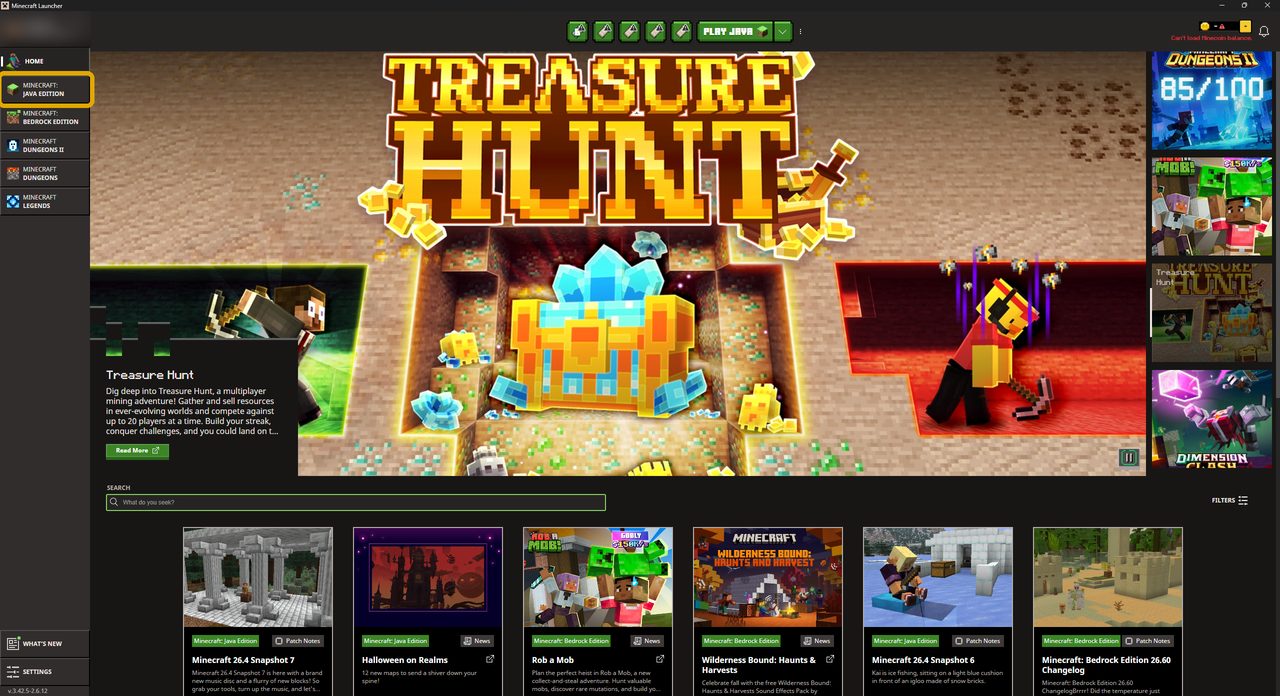
- choose Minecraft: Java Edition on the left,
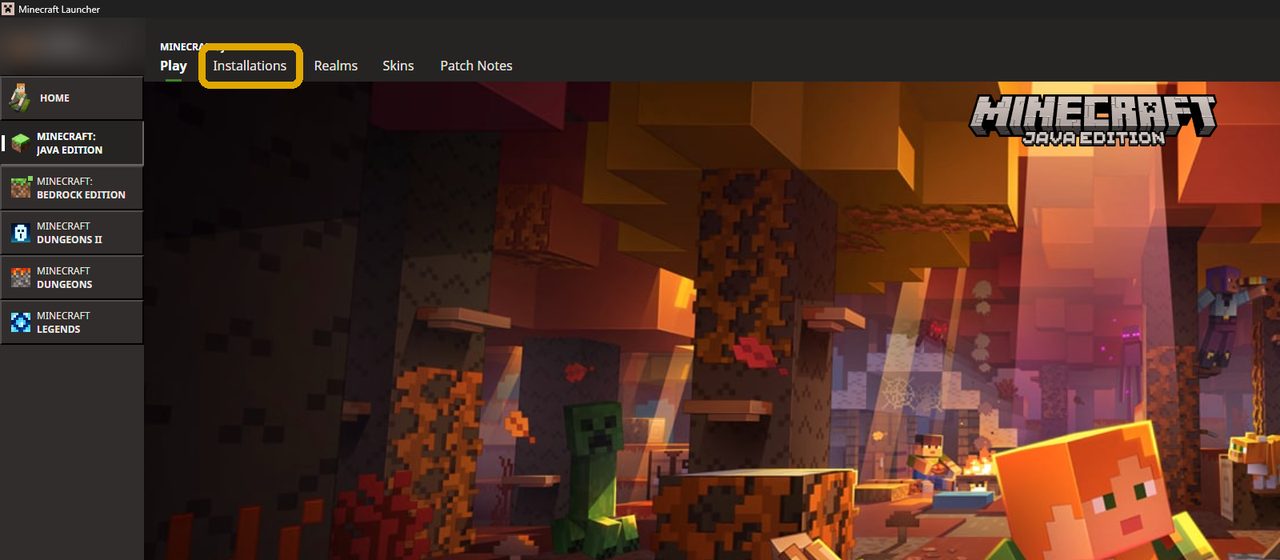
- open the Installations tab and click New installation,
- name it
Block4Block, and under Version pick release 1.21.10, - click Create.
-
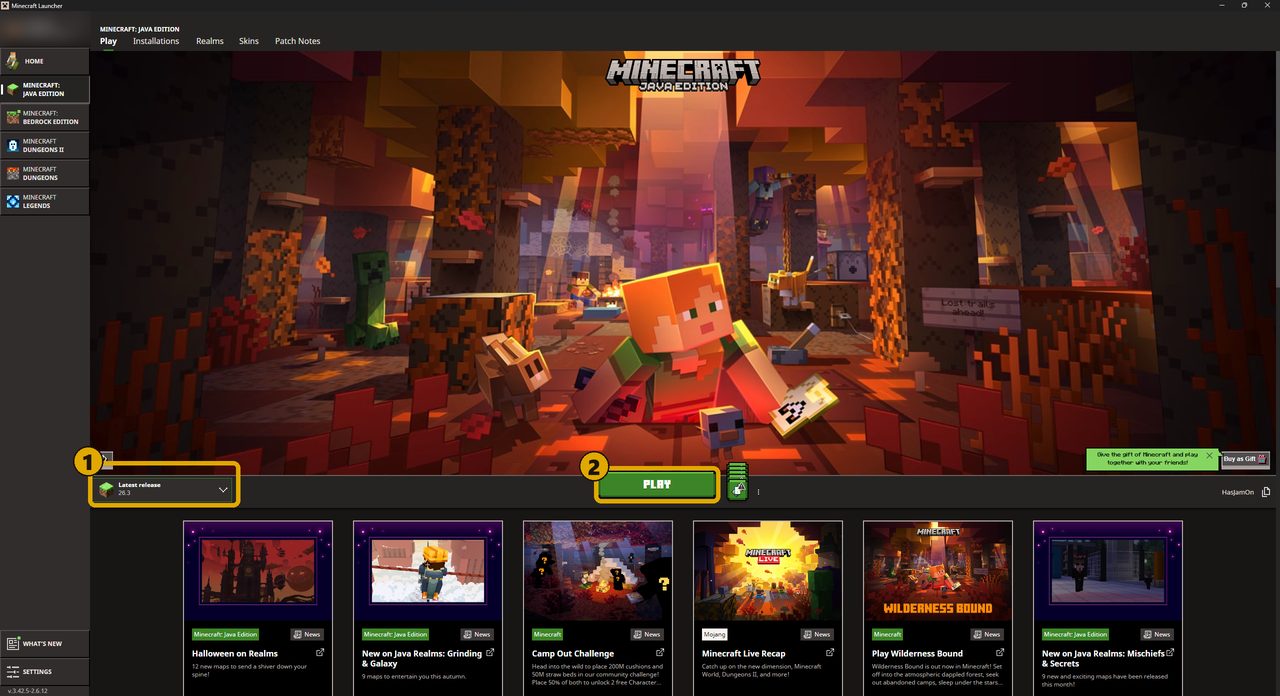
Play that installation. On the Play tab, the list beside the green Play button starts on
Latest release, a newer Minecraft that can't join: pick Block4Block there, then click Play.
Minecraft's title screen then says 1.21.10 in its corner.
-
Add the server. In Minecraft click Multiplayer (the first time, Proceed), then
Add Server. Type the address
play.b4block.organd click Done.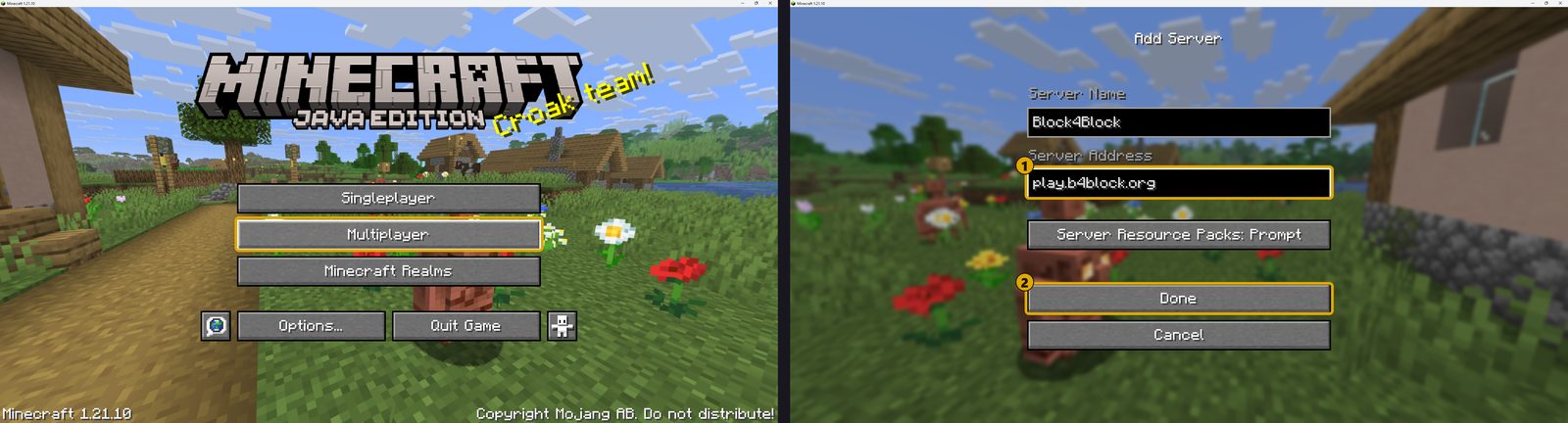
-
Join. Pick Block4Block in your server list and click Join Server.
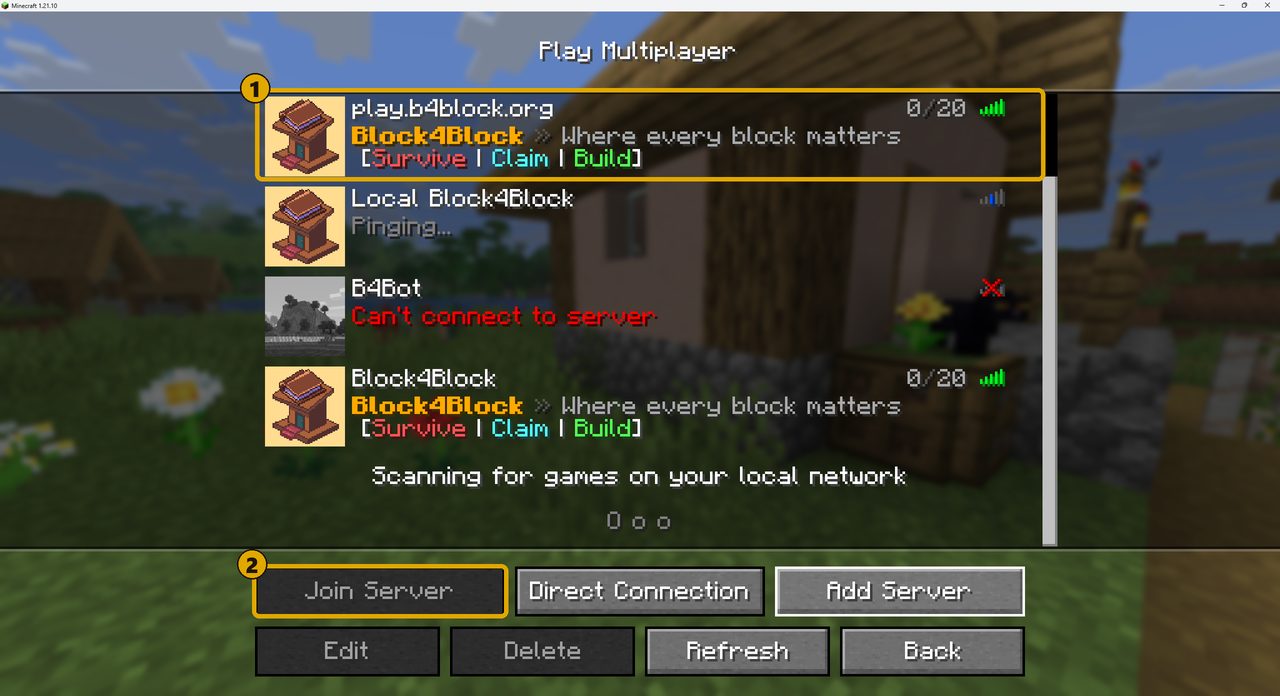
-
Claim your land. Write in a Book and Quill: the first page starts with
claim, then one player name a line (put yourself in). Place the book on a lectern: the chunk is yours, and your claim's members show in chat.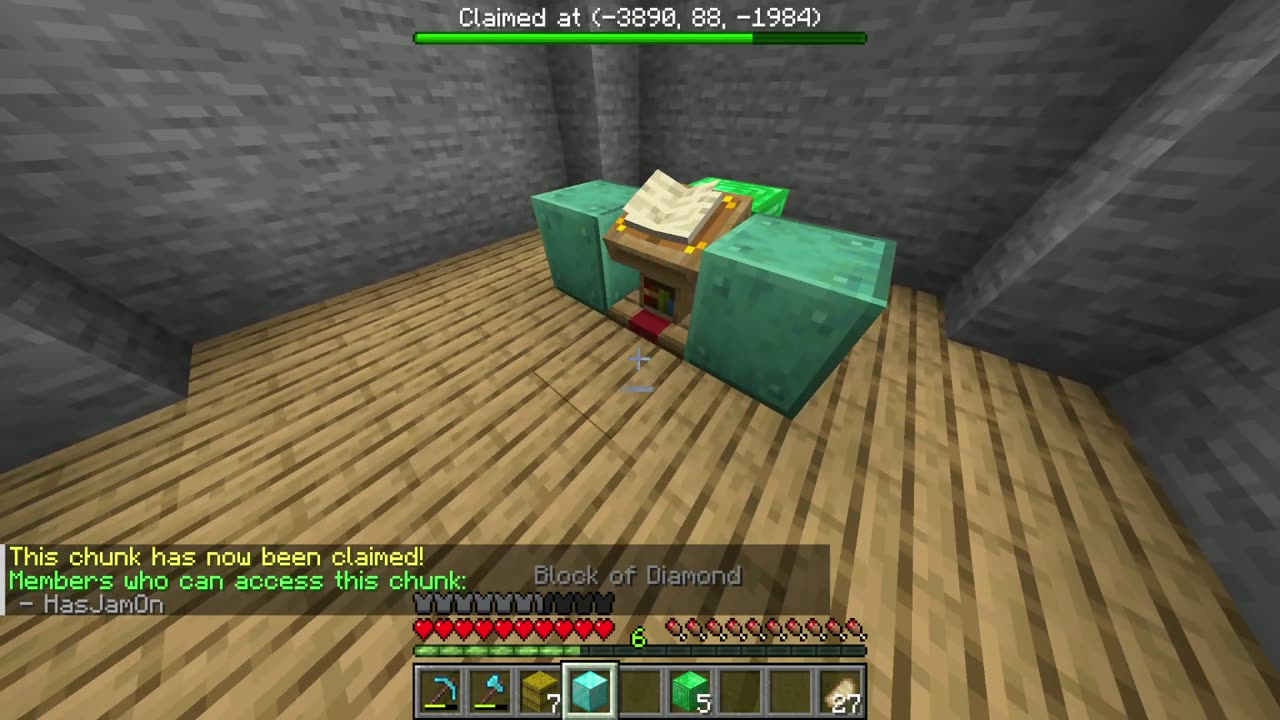
-
Play your blocks in Lectern. The blocks you keep in your claims are a game in your browser. Type
/linkin chat and click the link, or open b4block.org/companion. Every block you own is a grain in your Hoard, with a pet made of your blocks on top; the round button shows your team's blocks, then everyone's, with the other players' pets.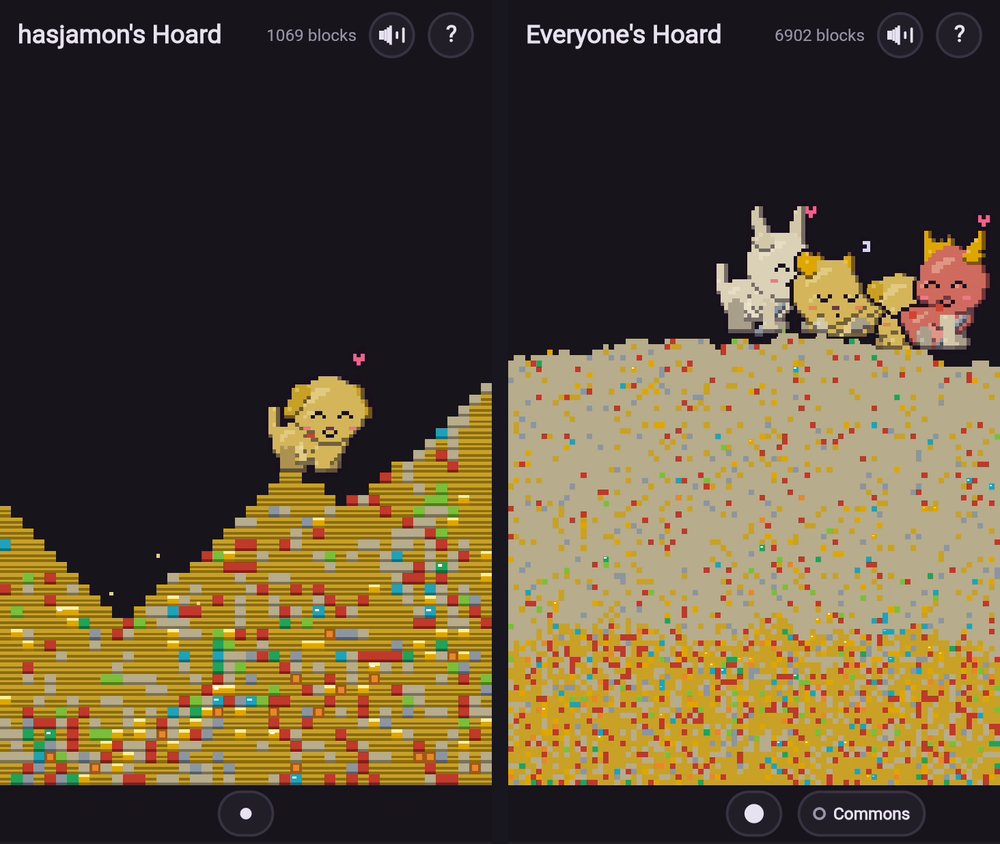
Good to know
Wrong version? If Minecraft says "Outdated client" or "Outdated server", go back to step 2: the installation must be 1.21.10.
Why can't I break blocks? On Block4Block most blocks cost a block to break: carry one of the same in
your hotbar. Logs, trees and utilities like crafting tables and beds break as usual. In game, /help
shows the rules.